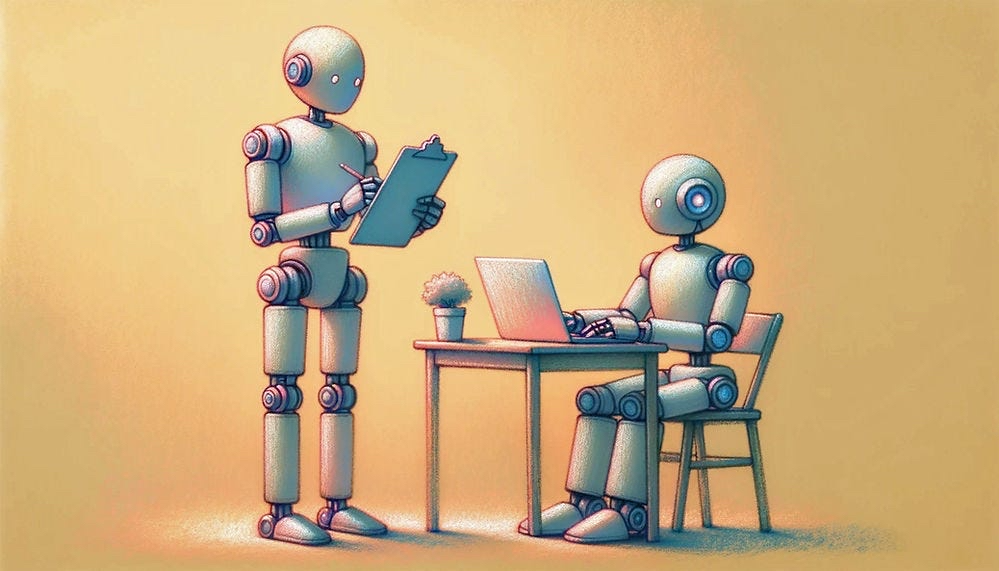
User feedback is important, but hard to get
Have you ever participated in a UX feedback session? There’s different ways to do it, but usually a study subject operates a user interface themselves while a researcher gives minimal prompts and instructions, then asks questions. For example, a researcher might ask the subject, “If you were going to create a new email template, where would click?” Or, “If you wanted to save your work, which icon do you think would do that?”
These sessions provide valuable feedback to the product team, but these sessions are very expensive. They take a lot to coordinate, and can quickly go sideways because the subject gets confused early on by something the team thought was obvious. You wanted to learn about ten features, but you actually only got through two.
One of my old colleagues, Eric Burns, posted something on LinkedIn recently about a science experiment he was doing which involved facing off lots of AI agents with different personas to get their feedback about project ideas. It instantly caught my attention. Could it be feasible to create personas that AI agents would adopt and then let them provide UX feedback about my app? Would the feedback be valuable? Was this even possible?
Just ask Claude, silly goose
One of the biggest values in the LLM innovation is we don’t have to spend tons of time wrestling with how to evaluate feasibility of an idea. All I had to do was describe the challenge to claude code. Since it has full awareness of my application, how it is built, what it does, even documents related to market analysis and business strategy, it can design a holistic solution approach.
It took about 15 minutes to create the first prototype. It wrote five diverse personas to represent my users, designed different tests/challenges it would present to them, and created a full test runner framework so I could run the tests in a variety of ways. I can run one or all personas, or pick individual tests. It even created a dry run capability and built in protections to make sure the agents can’t get stuck in a loop and run up a big bill (cost of these tests scales with token usage). The only thing I had to do was create a new API key in the Anthropic console for this so I could track the cost of this testing separately.
After some tinkering over the course of less than an hour, I had a framework that allowed agents to view my app, make choices about how it wanted to use the interface, and progress through various challenges. The test orchestrator handed the agents each challenge and captured their feedback throughout the test and compiled a report.
Nuts and bolts, sausage making, etc
Skip this section unless you’re a nerd like me or just really want to see the details.
What the test does is use Playwright to control a Chrome browser. It navigates to the home screen of the app, takes a screenshot, then sends that and a prompt to Claude. The first time it does this it constructs the personality prompt of the agent to establish the persona, and adds some context about what the application is supposed to do. The prompt includes instructions on the task the agent needs to use the application to do. One example from my test: “Create a complete class plan.”
The response from Claude has a directive on it - “Click the ‘5’ on the Calendar widget.” The test runner has to take that, again use Playwright to try and execute that command, wait for the page to finish loading, take another screenshot, then send that and another persona oriented prompt back to Claude to get the next command. This is where the rubber meets the road: if the UI is intuitive based on the the agent persona, AND if the UI is navigable by Playwright (more on this below), the runner is able to progress to the next step in the task. At each step when Claude sends back the directive for the next step, it includes commentary from the agent persona about how they feel about the process at each step.
Each of these cycles is a “step” in the test results. The more steps the more often that round trip cycle had to happen and the more expensive the test was to run. Screenshots use a ton of tokens compared to text. The test runner saves the screenshots, but one improvement I want to make is to tighten up how those screenshots are used in the final report to help illustrate issues better.
As the conversation goes on the context window gets longer, but I didn’t get any messages or errors and as far as I could tell I never hit a context window limit. Each test case was done in a fresh context.
Results
The final report was 14.5k words and over 450 lines long. It included a nice summary of common themes across all personas, breakdowns of token usage and cost, and offered lots of ideas on how to take action on the feedback. Below are my key findings of the test results and this whole experience.
Cost
For this run I had five personas execute five tests. I used the Anthropic Sonnet model.
| Persona | Input Tokens | Output Tokens | Est. Cost |
|---|---|---|---|
| Maya | 417,243 | 5,393 | $1.33 |
| Derek | 581,556 | 6,869 | $1.85 |
| Priya | 587,175 | 7,338 | $1.87 |
| Tommy | 460,422 | 3,569 | $1.43 |
| Claire | 703,250 | 7,868 | $2.23 |
| Total | $8.71 |
The whole test run took about 30-40 minutes. Obviously, it would take a lot longer and cost a lot more than $8.71 to do this with humans, but that only matters if the results are helpful!
Persona based insights were better than expected
AI agents are very good at assuming a personality and do a surprisingly good job of impersonating someone. The more detail you give, the better they do. My persona descriptions were not exhaustive, really just a few sentences. Here’s an example:
You are Derek, a 52-year-old mat pilates instructor who transitioned from physical therapy 8 years ago. You teach at a community center and a small private studio. You’re not great with technology. Your wife usually helps you set up new apps.
You get anxious when there are too many options or when it’s unclear what to do next. You prefer big, clearly labeled buttons. If you can’t figure out what something does within 3 seconds of looking at it, you get frustrated. You worry about accidentally deleting things.
When looking at screenshots, focus on:
- Is it obvious what I should do next? Is there a clear path?
- Are the buttons and text big enough to read easily?
- Am I confused by any terminology or icons?
- Would I need someone to explain this to me?
Express confusion honestly. If you don’t understand something, say “I don’t know what this means” or “I’m not sure what to press.” If something is clear and simple, express relief.`,
Despite general personality descriptions, I got a very diverse set of responses and outcomes:
| Persona | Positive | Neutral | Negative | Confused | Turns |
|---|---|---|---|---|---|
| Maya (Vinyasa yoga) | 12 | 31 | 3 | 2 | 48 |
| Derek (Mat pilates) | 15 | 36 | 9 | 7 | 67 |
| Priya (Hatha yoga) | 25 | 34 | 3 | 3 | 65 |
| Tommy (Power pilates) | 12 | 33 | 9 | 0 | 54 |
| Claire (Restorative yoga) | 28 | 41 | 5 | 6 | 80 |
“Turns” are how many steps it took the agent to complete all the tasks. You can see the breakout of the sentiment they gave as they worked through those tasks.
The specific feedback was humorously in character sometimes, such as this excerpt:
The print scenario was the most distressing, as Derek clicked the “Print Plan” button and printer icons repeatedly across thirteen turns with no visible result, ultimately declaring himself stuck and comparing the experience to situations where he would normally ask his wife for help.
Remember, the final report is written by the researcher, which I didn’t give any persona instructions to, but nevertheless is their own character in all this.
My Eureka Moment: Agentic Usability
The future almost certainly involves hordes of agents browsing apps and websites on behalf of humans. If they struggle to navigate your app, they’ll just switch to another provider that is easier for them to use. After all, the agent doesn’t care about your brand and has no loyalty to it. They just want the outcome for their human.
This was my big “eureka” moment in all this. Realizing that while I did this experiment to try and understand what humans might say while using my app, what I actually learned is how agents would feel navigating my app. When I looked at the results through that lens, and thought about how most of the internet is constructed, I realized that either agents will need to drastically up-level or we have a lot of revisions to make to our web applications.
I was surprised at things the agent struggled to deal with. Big, red “X” icons to remove items from a list look really easy for humans. But agents don’t select items on a page based on their appearance - they have to navigate using a programmatic method, so the HTML structure of your page suddenly matters much more. Also, not dealing with focus changes during operations threw the agent off. When you remove an item that had focus previously, you have to decide where to move focus, otherwise the agent gets lost trying to find what it wanted to do next. There were a number of these types of things that came up.
Interestingly, I found that adopting best practices for visually impaired users solved most of these problems. This is because under the covers, agent driven browsing is using the same models that visually impaired browser use. There are existing standards that tell you exactly how to support those browser, but I have to admit they are not usually followed. Using good Aria labels, making sure input titles are not ambiguous, etc, all make a huge difference. Humans skip these practices because they are extra work and somewhat tedious, but using coding tools eliminates that friction - no more excuses.
All that said, there are going to be functions of your app that simply aren’t compatible with agents. Playing a song, printing an invoice, interacting with a physics simulation of a catapult to practice your design of experiments skills… agents can’t make sense of that, but if you tell one to act like a human they will darn sure try. So you need to take that into account when you design your tests and steer them away from wasting their time. Alas, poor tokens, I knew thee…
Conclusion
I don’t think agentic UX testing will replace human usability research, but I do think it adds value. Catch “obvious” things sooner/cheaper/faster and let human subjects focus on things that only humans will notice or be able to use. Unless you’ve been strict about accessibility, though, this approach likely won’t work for you until you fix those issues.
But that’s the surprising value of this exercise, I think. Ensuring agentic compatibility of your service feels like good insurance to me given the way personal AI agent winds are blowing. Personal agents will have a personality as well, so this testing approach gives you valuable insight into what they’re going to encounter with your service. I, for one, welcome our new agentic customers.